
How to Install the EU Legal Guarantee App by Square
Installing the EU Legal Guarantee App by Square on your Shopify store is quick and easy.
Just follow these steps:
Step-by-Step Installation Guide:
- Install the app from the Shopify App Store here.
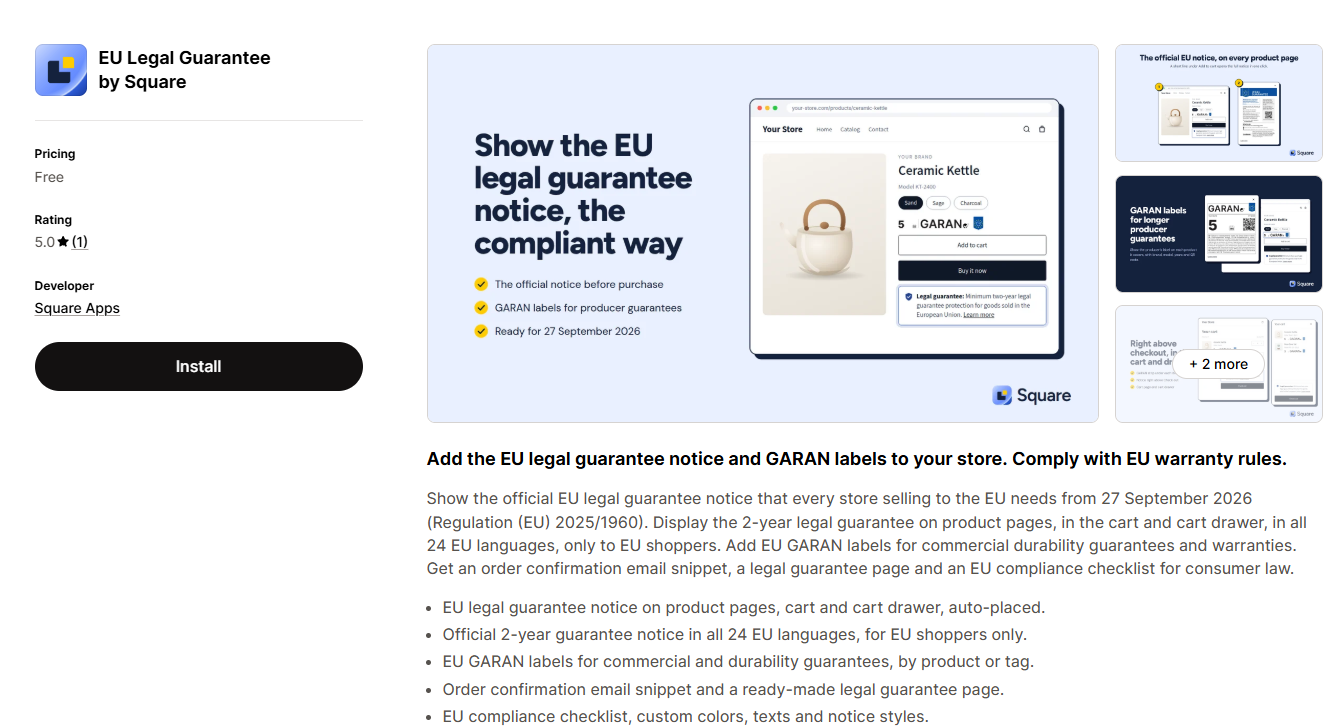
- Follow the on-screen instructions to complete the installation, including reviewing the required permissions.
-
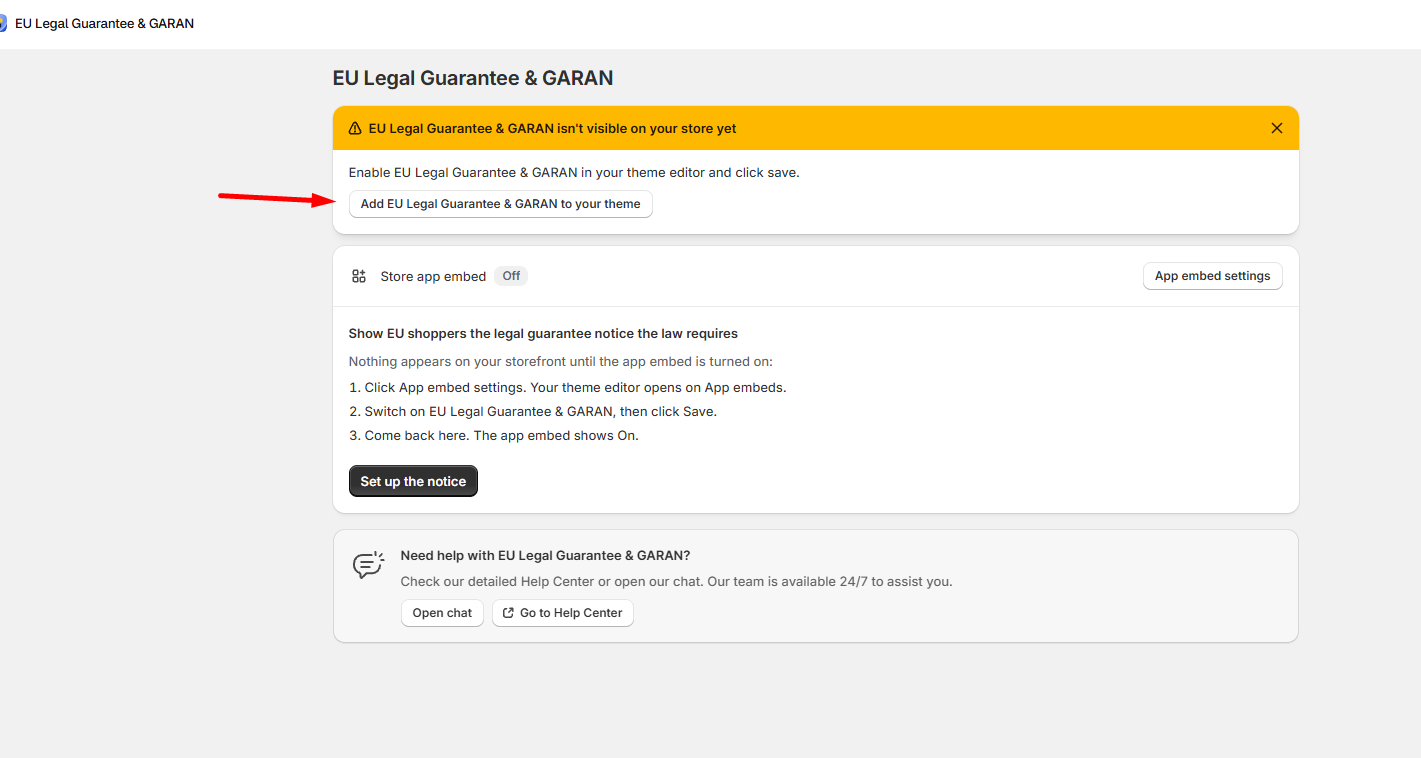
Once installed and the app is opened, activate the app in your Shopify Theme Editor by clicking the corresponding button:

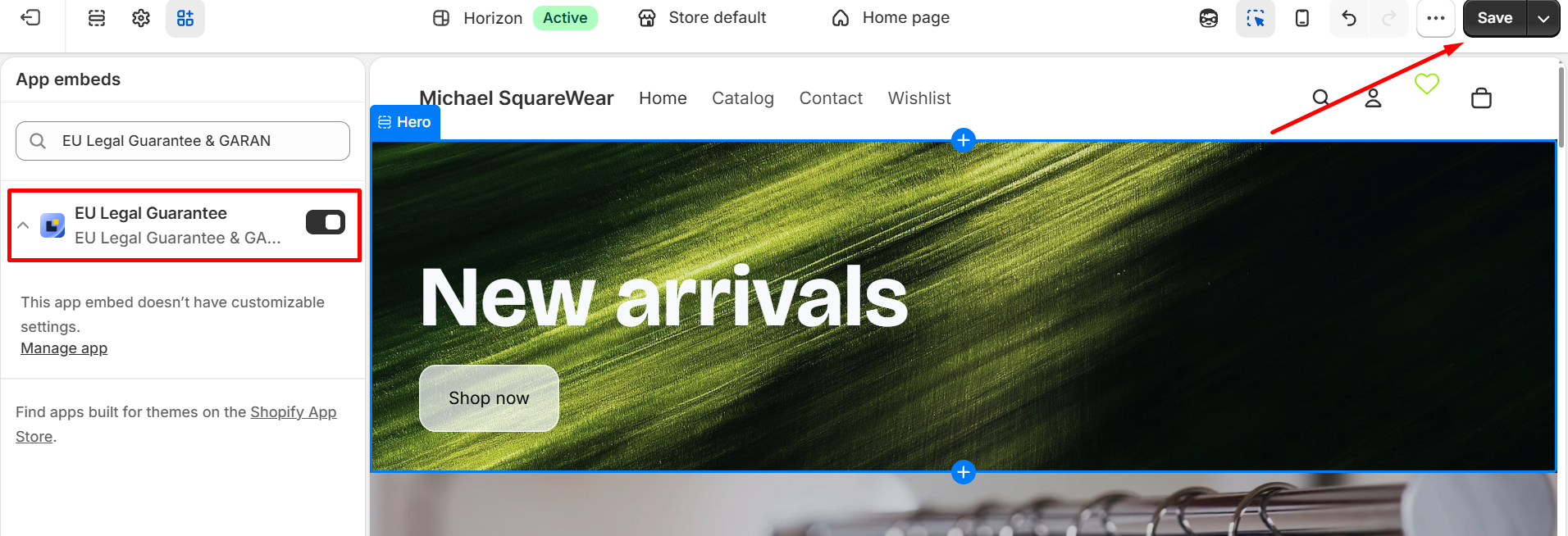
You will be brought to your Shopify Theme Editor, where you will see the EU Legal Guarantee by Square app enabled, and you just need to save this change:
- And you're done! For the procedure of how to set up the EU Legal Guarantee by Square app, you can start here: Getting Started with the EU Legal Guarantee by Square
Need Help?
For more details, check out our Help Center. If you have any questions, feel free to contact our support team. 🚀